How our texts work
Mother Bumper texts only the parent or grandparent who turns on a sticker and agrees to receive messages. Here is exactly what they see and receive.
1. Signing up
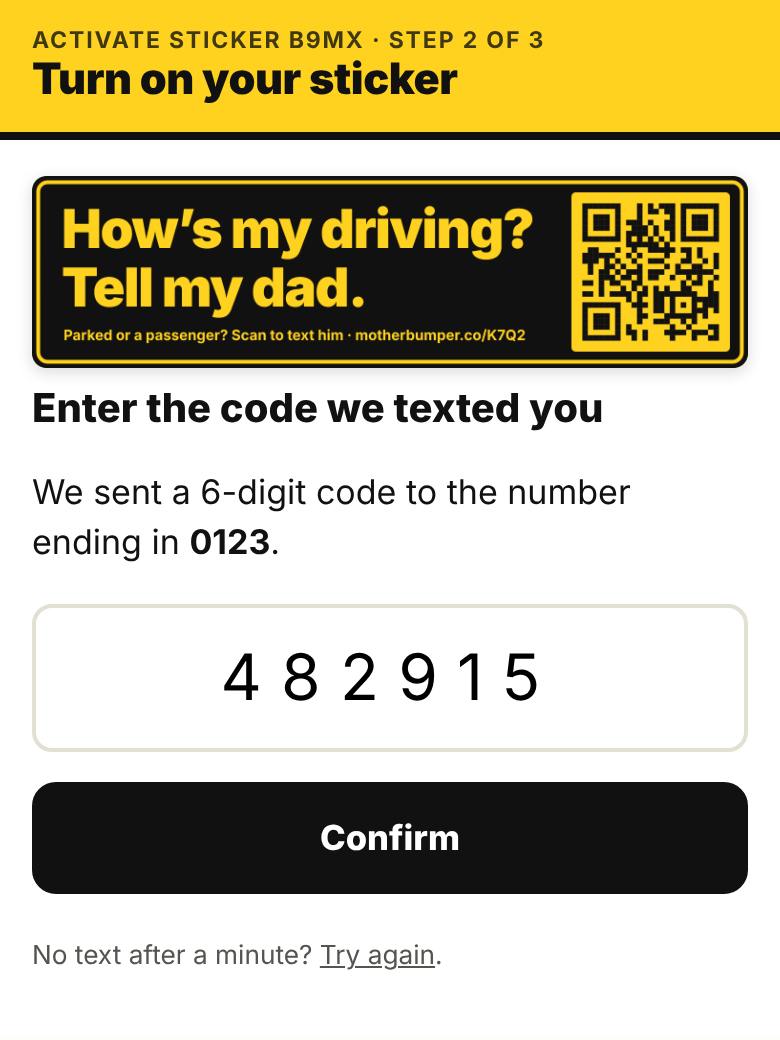
Each sticker comes with an activation card. The parent scans it (or visits motherbumper.co and types the sticker code), enters their mobile number, and checks a box that is not checked in advance. We then text a 6-digit code to confirm the number belongs to them. Texts start only after they confirm.
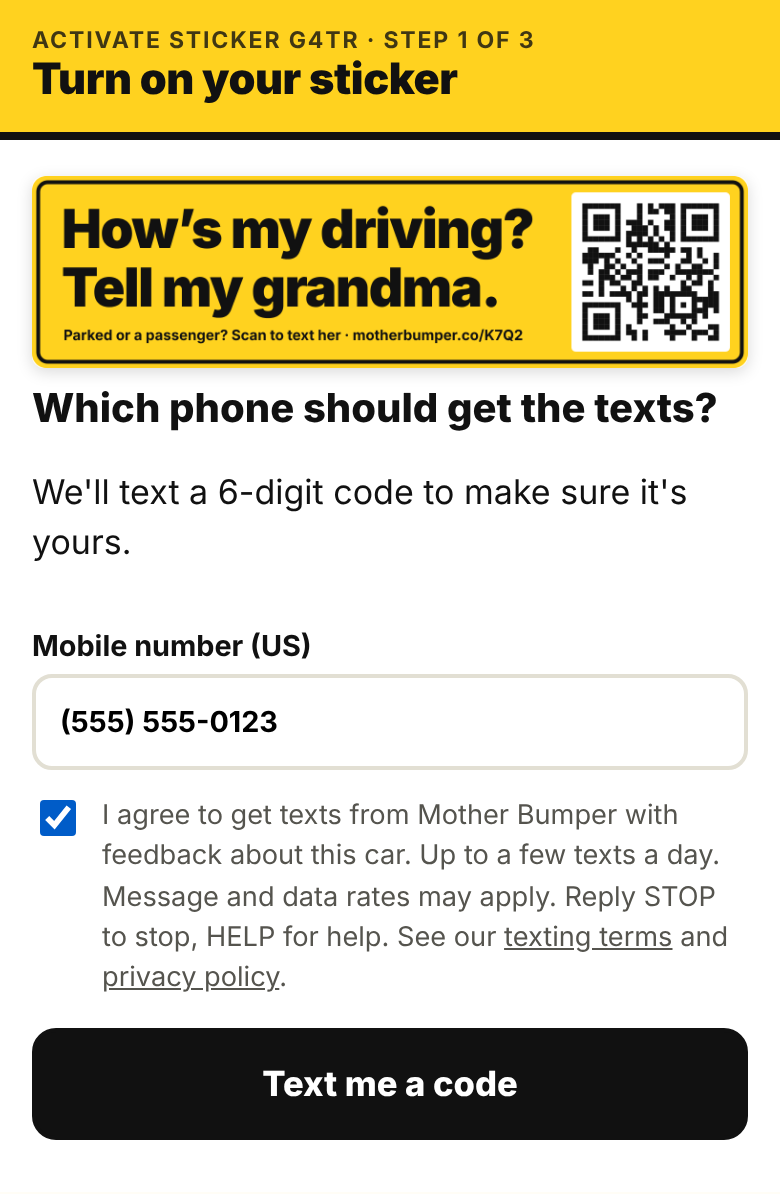
The agreement reads: "I agree to get texts from Mother Bumper with feedback about this car. Up to a few texts a day. Message and data rates may apply. Reply STOP to stop, HELP for help. See our texting terms and privacy policy."
2. Messages they receive
- Confirmation code: "Mother Bumper: your code is 482915. It expires in 10 minutes. If you didn't ask for this, ignore this text."
- Welcome: "Mother Bumper: your sticker for the blue Civic is on! You'll get a text here when someone shares feedback. Reply BLOCK to block a sender, PAUSE to pause 24 hrs, STOP to stop, HELP for help. Msg & data rates may apply."
- Praise: "Mother Bumper: someone gave the blue Civic a thumbs up for good driving at 7:51 AM: "Waited patiently for the kids crossing at the school." Nice work. Reports are anonymous. Reply BLOCK to block this sender."
- Concern: "Mother Bumper: a driver shared a concern about the blue Civic at 4:09 PM near Main St & 5th: - Following too close. Reports are anonymous and not verified. Reply BLOCK to block this sender, PAUSE to pause texts for 24 hrs."
3. Stopping or getting help
Reply STOP at any time to end all texts, or HELP for help. Message frequency varies. Message and data rates may apply. Full details are in our Terms & Conditions and Privacy Policy.